
If you’re hoping to boost your car’s performance without spending a fortune, installing an OBD2 performance chip is a popular and affordable upgrade. These small devices promise better horsepower, smoother acceleration, and improved fuel efficiency. But many drivers are unsure how to install them correctly and what results to expect. This guide will walk you through the process, explain what matters, and help you avoid common mistakes that could cost you time or money.
What Is A Car Obd2 Performance Chip?
An OBD2 performance chip is a small electronic device that plugs into your car’s On-Board Diagnostics II (OBD2) port. This port is usually located under the dashboard, near the steering wheel. The chip communicates with your car’s computer (ECU) and can change how your engine works. The goal is to improve things like throttle response, horsepower, and fuel use.
There are many types of chips, from simple plug-and-play devices to advanced units that allow custom tuning. Most modern cars (1996 and newer in the US) have an OBD2 port, making these chips widely compatible.
Why Install An Obd2 Performance Chip?
Many car owners choose performance chips for several reasons:
- Better horsepower: Some chips claim up to 10-30 extra horsepower.
- Improved torque: More pulling power can help with towing or quick starts.
- Fuel savings: Some users report 5-10% better mileage.
- Customization: Chips may let you adjust settings for your driving style.
But it’s important to be realistic. Gains depend on your car’s make, model, and the chip quality. Cheap chips often promise too much and deliver little. Always check real customer reviews and research before buying.
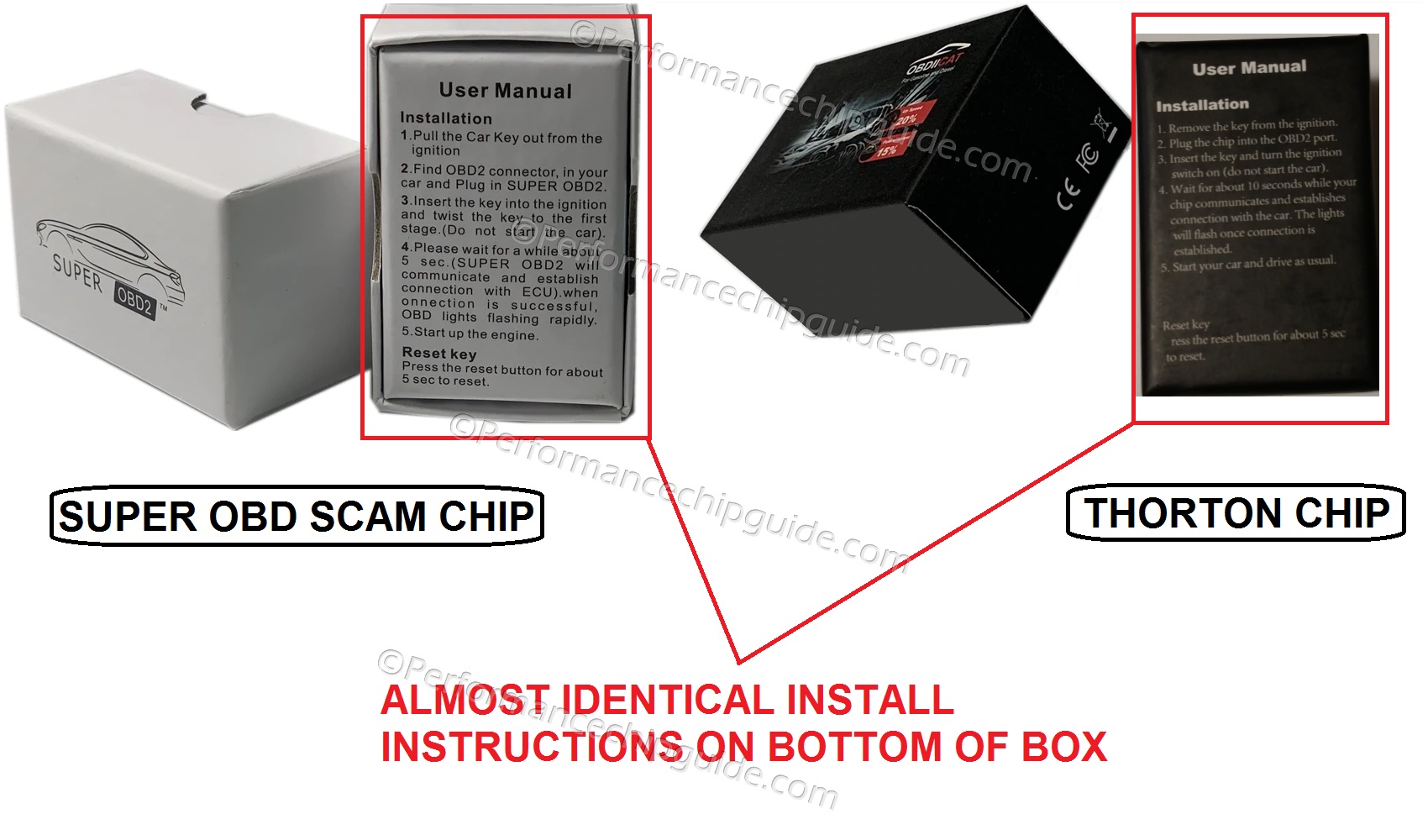
Credit: www.performancechipguide.com
What You Need Before Installation
Before starting, gather these items:
- OBD2 performance chip: Buy a chip that fits your car’s year, make, and model.
- Owner’s manual: This helps you find the OBD2 port and understand basic engine info.
- Smartphone or tablet (for some chips): Some devices use apps for setup.
- Clean hands and workspace: Avoid dirt and static that can damage electronics.
- Flashlight: It can be dark under the dashboard.
Non-obvious insight: Not all chips are truly plug-and-play. Some need extra setup or app pairing. Always read the manual that comes with your device.
Step-by-step: How To Install A Car Obd2 Performance Chip
1. Locate The Obd2 Port
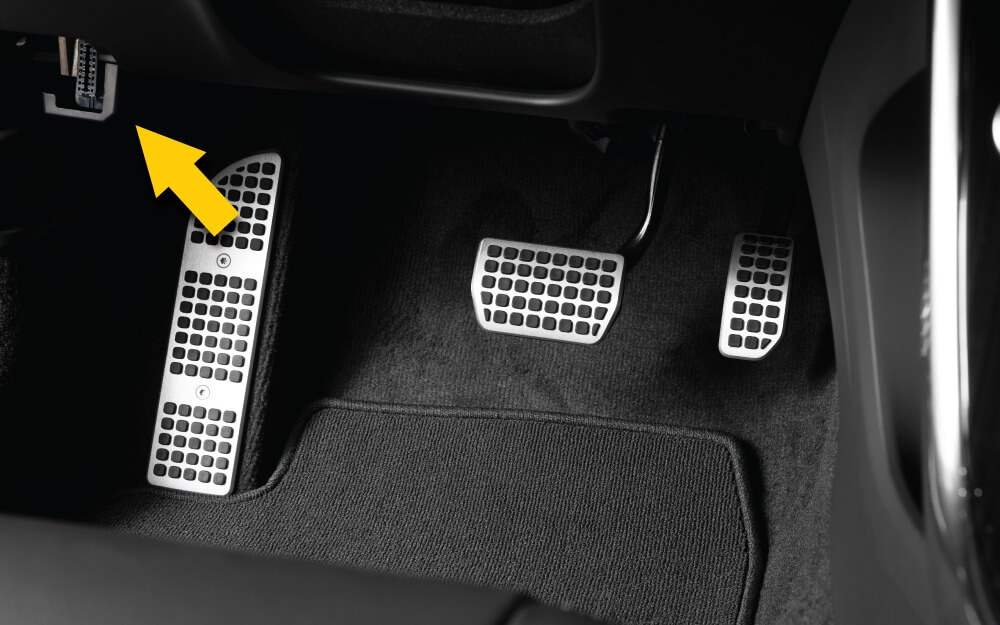
The OBD2 port is usually under the dashboard, just above the pedals. Look for a rectangular connector, often purple or black. The owner’s manual can help if you have trouble.
Extra tip: Some cars have covers over the port. Gently remove the cover if needed.
2. Turn Off The Engine
Always turn off your car before plugging in any device. For extra safety, take the key out of the ignition.
3. Plug In The Chip
Carefully insert the chip into the OBD2 port. It should fit snugly—never force it. If it doesn’t fit, check that you have the right chip for your car.
Some chips have a small light that turns on when connected. This means it’s getting power.
4. Turn The Ignition To “on” (but Don’t Start)
Switch your key to the “on” position without starting the engine. This lets the chip power up and connect to the car’s computer.
5. Pair With App (if Required)
Some newer performance chips need to connect to your phone or tablet using an app. Open the app and follow the on-screen instructions. You may need Bluetooth or Wi-Fi.
Non-obvious insight: Some chips need a firmware update during setup. Make sure your phone has internet access if needed.
6. Wait For Initialization
Most chips take a minute or two to “learn” your car’s settings. Lights may flash during this time, or your app may show a progress bar.
Do not unplug the chip or turn off the ignition during this step.
7. Start The Engine
Once the chip is installed and initialized, start your engine. If everything is working, you shouldn’t see warning lights on your dashboard.
Listen for any strange noises or check engine lights. If anything seems off, turn off the car and remove the chip. Double-check the instructions and try again.
8. Test Drive
Take your car for a short drive (5-10 miles). Pay attention to:
- Throttle response (how quickly the car reacts)
- Acceleration
- Idle smoothness
- Any dashboard warning lights
If you notice problems, remove the chip and contact the manufacturer.
9. Fine-tune Settings (advanced Chips Only)
Some advanced chips let you change settings for power, fuel, or throttle. Use the app or chip controls to make adjustments. Always make small changes and test your car before making more.

Credit: chipyourcar.com
Comparing Popular Obd2 Performance Chips
If you’re still choosing a chip, here is a comparison of three common types:
| Chip Model | Type | Average Power Gain | App Control | Price Range |
|---|---|---|---|---|
| Pedal Commander | Throttle Response | None (response only) | Yes | $250-$350 |
| Superchips Flashpaq | ECU Tuner | 10-25 HP | No | $300-$400 |
| RaceChip XLR | Plug-and-Play | Up to 20 HP | Yes | $200-$300 |
Important: Not all chips increase horsepower. Some only change throttle response for a more “sporty” feel.
What To Expect After Installation
Immediate Changes
Most drivers notice faster throttle response right away. If your chip changes engine maps, you may feel more power during acceleration.
Fuel Efficiency
Some chips improve miles per gallon (MPG), but results vary. Aggressive driving can reduce fuel savings, even with a chip.
Diagnostic Checks
The chip may store error codes if something goes wrong. You can use a code reader to check for issues.
Warranty Impact
Some car warranties may not cover damage from performance chips. Always check with your dealer before installation.
Credit: chipyourcar.com
Common Mistakes To Avoid
- Buying cheap “resistor” chips: These low-cost chips often do nothing or can harm your engine. Buy from trusted brands.
- Forcing the chip: If it doesn’t fit easily, you may have the wrong model.
- Skipping the app setup: If your chip needs an app, missing this step can cause issues.
- Ignoring warning lights: If your check engine light comes on, remove the chip and investigate.
- Expecting too much: Some cars see bigger gains than others. Know what is realistic for your engine.
Real-world Example: Installing On A 2016 Honda Accord
A driver with a 2016 Honda Accord wanted better throttle response and a bit more power. After research, they chose a Pedal Commander. Here’s what happened:
- The OBD2 port was under the left side of the dashboard.
- The chip was installed in five minutes, using the car’s accessory power.
- The app allowed them to set throttle response to “Sport+” for fast acceleration.
- No increase in horsepower, but a much quicker pedal response.
- No warning lights or errors after 2000 miles.
This shows that the right chip and installation can make a big difference, especially for daily driving comfort.
Performance Chip Vs. Ecu Remapping
Some people wonder if an OBD2 chip is as good as a full ECU remap. Here’s a quick comparison:
| Upgrade Type | Installation | Power Gains | Reversible | Cost |
|---|---|---|---|---|
| OBD2 Performance Chip | Plug-and-Play | Small to Moderate | Yes | $100-$400 |
| ECU Remap | Professional Only | Large | No | $400-$1,000+ |
Key difference: Chips are easy to install and remove. Remapping gives bigger gains but is permanent and may void warranties.
Safety And Maintenance Tips
- Unplug the chip before taking your car for emissions or dealer service.
- Store the chip in a dry place if you remove it.
- Check for firmware updates if your chip supports them.
- If you sell your car, remove the chip to avoid confusion for the new owner.
When Not To Use A Performance Chip
- If your car is under factory warranty and you want to avoid all risks.
- If your engine has existing problems—fix those first.
- If you need major power gains (consider a remap instead).
Environmental Impact
Performance chips can reduce emissions by improving efficiency, but aggressive tuning may increase pollution. Follow legal guidelines in your area. Some regions ban performance chips that don’t meet emission standards.
For more on OBD2 technology, see the official Wikipedia page.
Frequently Asked Questions
What Is The Safest Obd2 Performance Chip For Beginners?
Look for plug-and-play chips from known brands with good reviews. Pedal Commander and RaceChip are popular choices. Avoid very cheap chips, as they may not be safe or effective.
Will Installing A Chip Void My Warranty?
It can, especially if the dealer finds the chip caused damage. Some chips are easy to remove before service, but always check your warranty terms.
Can I Install A Performance Chip Myself?
Yes, most chips are designed for DIY installation. Follow the instructions closely, and use the owner’s manual for guidance. If you’re unsure, ask a mechanic for help.
How Do I Know If My Car Supports Obd2 Chips?
If your car was made in 1996 or later (US models), it likely has an OBD2 port. Check under the dashboard or consult your owner’s manual.
Do Chips Really Increase Horsepower And Mpg?
Some chips give small gains in horsepower and fuel economy, but results depend on your car and the chip quality. Avoid unrealistic promises; reliable brands are more trustworthy.
Upgrading your car with an OBD2 performance chip is one of the easiest ways to try out new technology and boost your driving experience. With careful installation and realistic expectations, you can enjoy a more responsive ride and even save some fuel along the way.