
Many car owners love music or podcasts while driving, but older cars often don’t have a way to connect a phone or MP3 player to the factory radio. If you want better sound quality than an FM transmitter and don’t want to replace your whole stereo, installing an aux input is a smart option. This upgrade can seem technical, but with the right guidance, most people can do it themselves, saving money and enjoying modern audio in an old car.
Learning how to install a car aux input to a factory radio is a practical way to breathe new life into your vehicle’s sound system. In this guide, you’ll find clear, step-by-step instructions, tips for choosing the right parts, common mistakes to avoid, and answers to the most frequent questions.
Whether you’re a total beginner or just need some confidence to start, this article will help you connect your phone, tablet, or music player to your car’s original audio system.
Why Add An Aux Input To Your Factory Radio?
An aux input lets you play any audio source—like a phone, tablet, or MP3 player—through your car’s speakers. Here are the main benefits:
- Better sound quality than FM transmitters or cassette adapters.
- Universal compatibility with almost any device that has a headphone jack.
- Keep your factory radio and dashboard looking original.
- Affordable upgrade compared to buying a new stereo system.
Many factory radios, especially those built before 2010, lack an aux port. Adding one can make daily drives more enjoyable and lets you use streaming services, audiobooks, and navigation apps.
What You’ll Need Before Starting
Before you begin, you’ll need some basic tools and materials. Here’s a list to help you prepare:
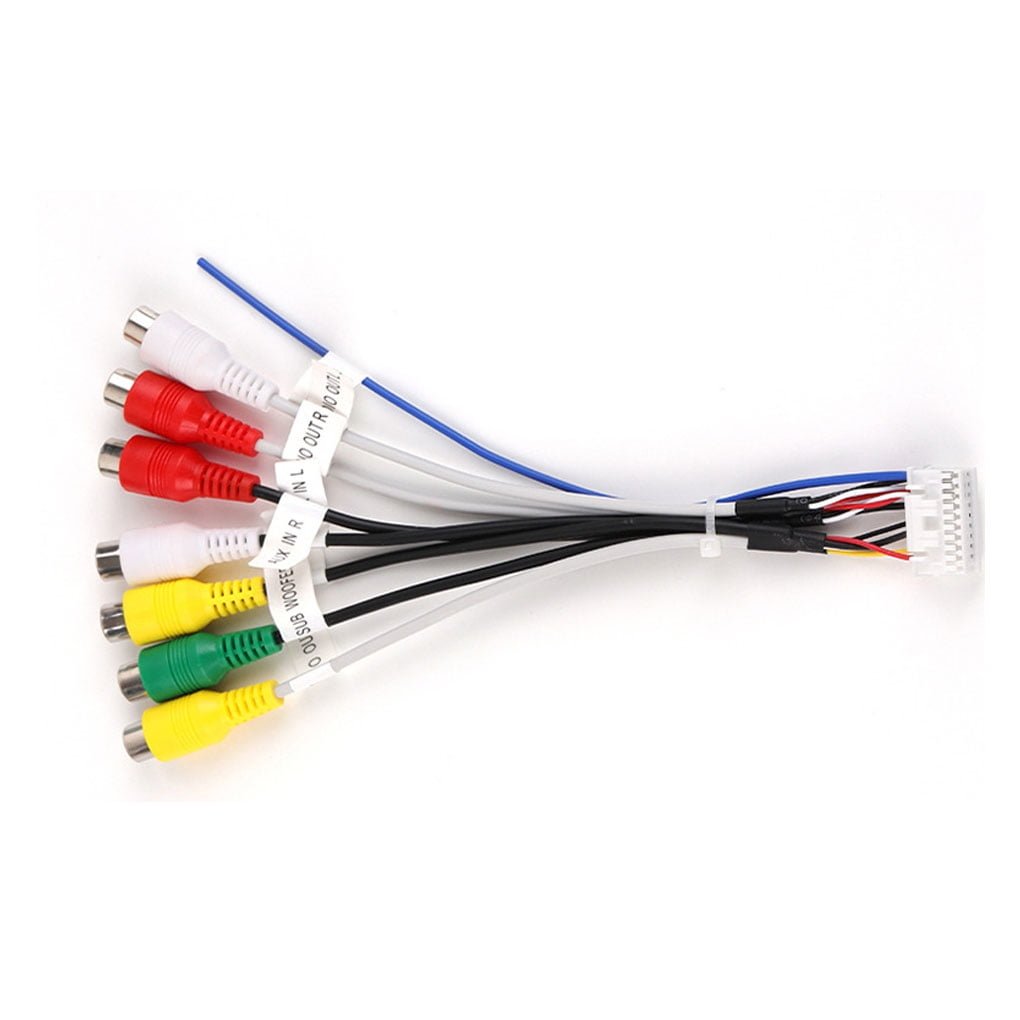
- Aux input adapter kit: Choose one designed for your car’s make and model.
- Screwdrivers: Both Phillips and flathead.
- Panel removal tool: Prevents scratches on your dashboard.
- Wire strippers and crimpers: For connecting wires (if needed).
- Electrical tape or heat shrink tubing.
- 3.5mm aux cable: For connecting your device.
- Multimeter (optional): Helps identify wires and test connections.
Some aux input kits connect directly to the back of the radio; others require wiring into the CD changer or satellite radio port. Double-check the compatibility before buying. If you aren’t sure which adapter to buy, search for your car’s model and year with the term “aux input adapter.
”
Credit: www.youtube.com
Understanding Your Factory Radio’s Options
Different cars and radios need different approaches. Here are the three most common scenarios:
| Car Stereo Type | Aux Installation Method | Difficulty |
|---|---|---|
| With CD Changer Port | Plug-in adapter | Easy |
| With Satellite Radio Port | Plug-in adapter | Easy |
| No ports (older radios) | Hardwired (soldering) | Medium/Hard |
Some radios support “external devices,” which means you can plug in an adapter without cutting wires. Others may need you to open the radio and connect wires directly to the circuit board—this is more advanced but still possible for careful DIYers.
Non-obvious insight: Even if your car doesn’t have an obvious aux input, many factory radios are built with “hidden” expansion ports on the back. These can be used with the right adapter, saving you from replacing your whole system.
Step-by-step Guide: Installing An Aux Input
The process can seem complicated, but breaking it down makes it manageable. Here’s how to do it safely and correctly.
1. Identify Your Radio And Adapter Type
First, find out the exact model and year of your car radio. Check your car’s manual, or pull out the radio to look for a sticker or model number. Search online for aux input solutions that match your specific model. Using the wrong adapter can cause damage or simply not work.
2. Gather Your Tools And Prepare The Workspace
Before starting, park your car in a safe, well-lit area. Turn off the ignition and disconnect the negative terminal of the car battery. This prevents electrical shorts or accidental airbag deployment.
Lay out all your tools and the aux adapter. Keep small screws in a cup so you don’t lose them.
3. Remove The Factory Radio
Most factory radios are held in with clips and screws. Use a plastic panel removal tool to gently pry off the trim around the radio. Remove any screws holding the radio in place. Carefully slide out the radio, making sure not to tug on the wiring harness.
Tip: Take a photo of the wiring connections before unplugging anything. This helps you reconnect everything later.
4. Connect The Aux Adapter
Depending on your car, installation steps can vary:
If Your Radio Has An Expansion Port
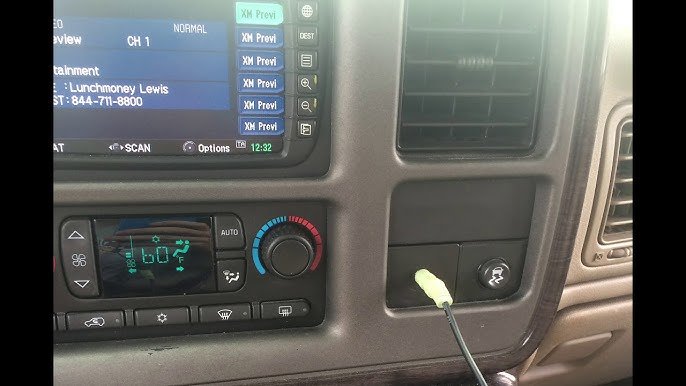
Plug the aux adapter cable into the CD changer or satellite radio port on the back of the radio. These ports are usually rectangular or round with several pins. Secure the connection so it doesn’t wiggle loose.
If Hardwiring Is Needed
Some radios don’t have an extra port. In this case, you’ll need to connect the aux cable directly to the radio’s circuit board, usually at the “tape” or “CD” audio input lines. This requires opening the radio and soldering wires.
Warning: Only attempt this if you’re comfortable with small electronics. Wrong connections can damage your radio.
5. Route The Aux Cable
Choose a location for the aux port—common spots are the glove box, under the dash, or a small hole in the trim. Drill a hole if needed, and run the cable through so it’s neat and easy to reach.
Use zip ties or tape to secure the cable behind the dashboard, so it doesn’t rattle while driving.
6. Test The Connection
Before putting everything back, reconnect your car battery and turn on the radio. Switch to the CD changer or “aux” mode (this may show as “CD,” “Media,” or “EXT” on the display).
Plug your device into the aux cable and play music. You should hear clear sound through the car speakers. If not, check all connections and make sure the adapter is compatible with your radio.
7. Reassemble The Dashboard
Once you confirm it works, turn off the ignition and disconnect the battery again. Gently slide the radio back into place, reconnect all wiring harnesses, and screw it down. Replace the trim panels.
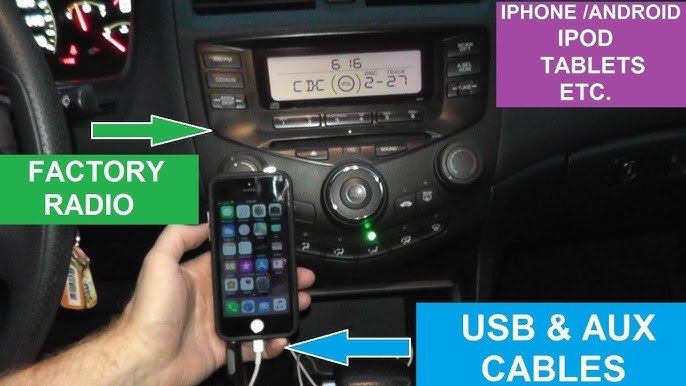
Plug in your aux cable and enjoy modern audio in your car!
Credit: arabiansweetslosfenicios.com
Comparing Aux Input Methods
Different installation methods have their own pros and cons. Here’s a quick comparison:
| Method | Sound Quality | Ease of Install | Cost |
|---|---|---|---|
| FM Transmitter | Low/Medium | Very Easy | Low |
| Cassette Adapter | Medium | Easy | Low |
| Aux Adapter (CD Port) | High | Medium | Medium |
| Hardwired Aux | Very High | Hard | Medium/High |
Another non-obvious insight: Many people think FM transmitters are easier, but they often suffer from interference and poor sound. A direct aux connection gives much better audio quality for music, podcasts, or calls.
Common Mistakes To Avoid
When installing an aux input, beginners often make these errors:
- Choosing the wrong adapter: Not all aux kits work with every radio. Always check for compatibility.
- Forgetting to disconnect the battery: This can result in blown fuses or, in rare cases, airbag deployment.
- Bad cable routing: Loose cables can rattle or get pinched, causing future problems.
- Ignoring sound quality issues: If your aux input sounds weak or distorted, the ground connection may not be good. Make sure all connections are solid.
- Skipping a test before reassembly: Always test the system before putting your dashboard back together.
Credit: www.youtube.com
Tips For A Clean And Professional Installation
- Label screws and parts: Use small bags or labels for each screw so reassembly is easy.
- Use a multimeter: If you’re unsure about wiring, a multimeter helps identify the right wires.
- Secure the aux port: Mount it in a spot that’s easy to reach but out of the way.
- Check for firmware updates: Some newer factory radios may need a software update to recognize external audio devices.
- Consider Bluetooth adapters: Some aux kits also add Bluetooth, letting you play music wirelessly.
When To Ask A Professional
If your car has advanced electronics, built-in navigation, or you’re unsure about removing panels, a professional installer can help. Some dealers and audio shops offer aux input installations for a reasonable fee. This can save you time and reduce the risk of damaging your vehicle.
According to Wikipedia’s car audio page, modern car audio systems can be complex, with integrated amplifiers, safety features, and vehicle-specific parts. Don’t hesitate to seek help if the job feels overwhelming.
Frequently Asked Questions
How Do I Know If My Factory Radio Supports An Aux Input?
Check your car’s manual or look for “AUX,” “CD changer,” or “Media” ports on the back of the radio. Search online for your car’s make, model, and year plus “aux input adapter. ” If you can’t find information, contact the manufacturer or a car audio specialist.
Will Installing An Aux Input Void My Car’s Warranty?
If your car is still under warranty, check the terms. Plug-in adapters usually don’t affect your warranty, but cutting wires or opening the radio might. Always use non-destructive methods if warranty is a concern.
Can I Add Bluetooth Instead Of A Wired Aux Input?
Yes, many aux adapters include Bluetooth modules. These let you play music wirelessly and sometimes even take calls. The installation is almost the same, but you’ll need to pair your phone after setup.
What If My Car Doesn’t Have An Expansion Port?
If there’s no CD changer or satellite port, you’ll need to hardwire the aux input to the radio’s circuit board. This is more complicated and may require soldering skills. Consider a professional installer if you’re not comfortable with electronics.
Why Is There A Buzzing Or Humming Sound When I Use The Aux Input?
This usually means there’s a ground loop or poor connection. Try using a ground loop isolator, check all wiring, and make sure the aux port is installed correctly. High-quality cables and careful routing can reduce noise.
Upgrading your car’s factory radio with an aux input is a practical project that brings modern convenience to your daily drive. By following these steps and tips, you’ll be able to enjoy your favorite music and podcasts with clear, reliable sound—without replacing your original stereo.
Take your time, check compatibility, and don’t be afraid to ask for help if you need it. The result is worth it for any music lover on the road.