
When your car key fob stops working, it can turn a normal day into a stressful one. You may find yourself locked out, or unable to start the car, especially if your vehicle uses a push-button ignition. Many people think a dead fob means an expensive dealership visit, but that’s not always true. In most cases, you can fix the problem yourself with some simple steps. This guide will walk you through practical ways to troubleshoot and repair a non-working car key fob, helping you save both time and money. We’ll also cover common mistakes, important safety tips, and answer popular questions at the end.
Understanding How Car Key Fobs Work
Before you start fixing, it helps to know what you’re dealing with. Car key fobs are small electronic devices that communicate with your car using radio waves. They can lock and unlock doors, and in some cases, start the engine. Inside, they contain a small battery, a circuit board, and a transmitter.
When you press a button, the battery powers the circuit board, which sends a coded signal to your car. If the signal matches, the car responds. Problems usually come from the battery, the buttons, the circuit board, or the connection between the fob and car.
Common Symptoms Of A Failing Key Fob
How do you know it’s the key fob and not something else? Here are a few signs:
- The car doesn’t respond when you press buttons
- Only some buttons work (e.g., lock works but unlock doesn’t)
- You have to press buttons several times or very close to the car
- The car shows a “key not detected” or “no key” warning
- The physical key works, but remote functions do not
If you notice any of these, your fob is likely the problem.
Step 1: Check And Replace The Battery
The most common reason for a non-working key fob is a dead battery. Most fobs use coin cell batteries (like CR2032 or CR2025). Even if your car is new, these batteries last only 1-3 years.
How To Replace The Battery
- Open the fob: Look for a small seam or notch. You might need a small flathead screwdriver or a coin to gently pry it open.
- Remove the old battery: Note the battery type and which side faces up.
- Insert the new battery: Make sure it sits firmly and matches the correct orientation.
- Snap the fob back together and test.
| Battery Model | Average Lifespan | Common Fob Brands |
|---|---|---|
| CR2032 | 2-3 years | Toyota, Ford, Honda |
| CR2025 | 1-2 years | Hyundai, Kia, Nissan |
| CR2016 | 1-1.5 years | Older models |
Non-obvious tip: Sometimes, the battery contacts inside the fob can get dirty or bent. Use a cotton swab and a little rubbing alcohol to clean them. Gently bend the contacts for a tighter connection if needed.
Step 2: Check For Physical Damage
Key fobs take a lot of abuse. Dropping them, getting them wet, or exposure to heat can break the internal components.
- Inspect for cracks or broken buttons
- Check if the buttons feel “stuck” or loose
- Look for water damage (corrosion or white residue inside)
If your fob has been exposed to water, open it and let it dry completely. You can use a hair dryer on a low setting or leave it in a bowl of uncooked rice for several hours.
Pro tip: Even if the outside looks fine, a small crack in the circuit board can stop it from working. If you see any damage, you may need a replacement.
:max_bytes(150000):strip_icc()/car-key-fob-not-working-57f182cb5f9b586c35574ca5.jpg)
Credit: www.lifewire.com
Step 3: Reprogram The Key Fob
Some cars lose the connection between the fob and the car’s computer, especially after a battery change. This is called de-synchronization.
How To Reprogram
The process is different for each car. For many models, you can do it yourself:
- Get in the car and close all doors.
- Insert and remove the key from the ignition (or push the start button) several times.
- Press and hold the fob’s lock and unlock buttons for a few seconds.
- Wait for the car to respond (doors lock/unlock or a beep).
Always check your vehicle’s manual for the exact steps. Some newer cars require a special tool or a trip to the dealership.
| Car Brand | DIY Reprogramming | Dealer Visit Needed |
|---|---|---|
| Toyota | Often possible | Sometimes |
| BMW | Rarely possible | Usually required |
| Ford | Usually possible | Rarely |
| Mercedes | Not possible | Always |
Non-obvious tip: If you have a spare fob, try reprogramming both at the same time. Some cars “forget” all fobs except the one used for reprogramming.
Step 4: Check The Buttons And Contacts
The buttons on the fob can wear out or become dirty, especially if you use the fob often with dirty hands or in dusty environments.
- Open the fob and check that the rubber button pad is clean and not torn
- Clean the contacts on the circuit board with a soft cloth and a little alcohol
- If a button is worn out, small repair kits are available online
If cleaning and re-seating the buttons does not help, the internal contact might be broken. In that case, you may need to replace the fob.
Step 5: Test The Signal
Sometimes, the problem is the signal between the fob and the car, not the fob itself. Modern fobs use radio frequencies (usually 315 MHz or 433 MHz).
- Try the fob closer to the car
- Move away from other electronics that may cause interference (like cell towers, WiFi routers, or large metal objects)
- Test the fob in a different location
If the fob works sometimes and not others, interference may be the cause.
Insider tip: Some stores and locksmiths have a “key fob tester” that can check if your fob is sending a signal. This can quickly tell you if the fob is dead or if the car isn’t receiving.
Step 6: Check The Car’s Receiver
If the fob works but the car does not respond, the problem might be inside the car. The receiver (inside the door or dashboard) can fail or lose power.
- Try your spare key fob. If both don’t work, the car’s system may be at fault.
- Check the car’s fuse box. Look for a blown fuse labeled “keyless entry” or “RF receiver.”
- Make sure the car’s battery is charged and the electrical system is working.
In rare cases, the car’s receiver needs to be replaced, which usually requires a professional.
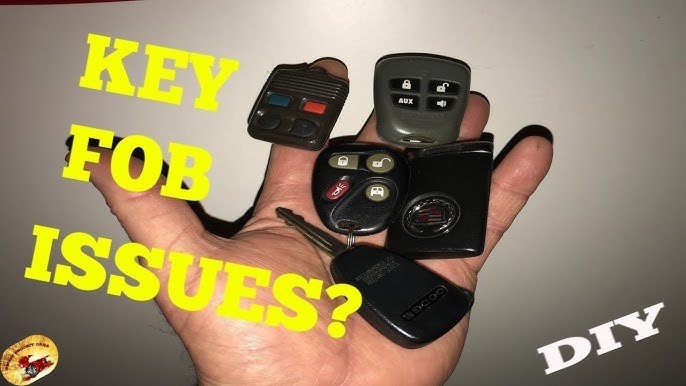
Credit: www.youtube.com
Step 7: Use The Physical Key
Most fobs have a hidden physical key inside. It can open the driver’s door if the battery is dead or the electronics fail.
- Look for a small sliding button or latch on the fob.
- Slide or press it to release the metal key.
- Insert it into the car door lock (usually hidden under a cap).
This won’t start the car if you have push-button ignition, but it can get you inside.
Step 8: Consider Professional Help
If you’ve tried all the above and your key fob is still not working, it’s time for help.
- Local locksmiths can often repair or replace fobs for less than dealerships.
- Dealerships can program new fobs or fix complex electronic issues.
- Some auto parts stores now offer key fob testing and battery replacement.
Avoid cheap online key fobs unless you’re sure they’ll work with your car. Many are low-quality or not programmable.
Common Mistakes To Avoid
- Using the wrong battery type: Always check the fob and owner’s manual.
- Forcing the fob open: This can crack the case or damage the electronics.
- Touching the circuit board with bare hands: Oils from your skin can cause corrosion.
- Ignoring programming steps: Some fobs need to be re-synced after battery replacement.
- Throwing away a “dead” fob: Often, it just needs a new battery or a quick cleaning.
Signs It’s Time For A Replacement
Some fobs are beyond repair. Replace your fob if:
- The circuit board is cracked or corroded
- The case or buttons are completely broken
- The fob still doesn’t work after new batteries and reprogramming
- You’ve lost the fob or it was stolen
New fobs can cost between $20 (basic models) and $400+ (smart keys), depending on the car. Always keep a spare.
| Fob Type | Replacement Cost | Programming Needed? |
|---|---|---|
| Basic remote | $20 – $60 | Sometimes |
| Transponder key | $50 – $150 | Usually |
| Smart key (push button) | $150 – $400+ | Always |
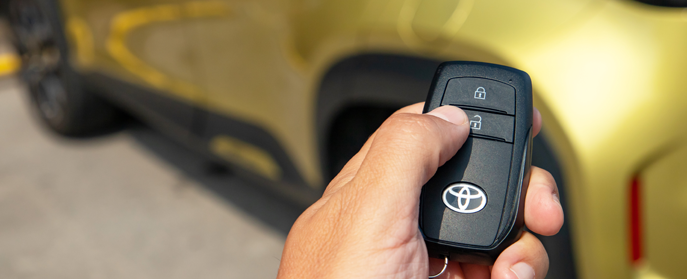
Credit: us.haynes.com
Preventing Key Fob Problems
- Replace batteries every 1-2 years, even if the fob still works.
- Store fobs away from water and direct sunlight.
- Keep a spare battery and fob in a safe place.
- Clean the fob occasionally with a dry, soft cloth.
- Don’t attach heavy keychains to the fob, as this can damage the buttons and case.
When To Visit The Dealership
While many problems can be solved at home, there are times when you need a professional:
- All fobs stop working at once
- The car’s electronics show errors or warning lights
- You need a new fob programmed for a newer vehicle
- The receiver or car’s computer is damaged
Dealers have the tools and software needed for the most advanced repairs. For more details on modern key fob technology, you can read about it on the Wikipedia page for remote keyless systems.
Frequently Asked Questions
Why Does My Car Key Fob Only Work Sometimes?
Interference from other electronics, a weak battery, or a dirty button can cause your fob to work only sometimes. Try replacing the battery and cleaning the contacts. If problems continue, test the fob at different locations to check for signal interference.
Can I Use My Car Without A Working Key Fob?
Most cars allow you to use a physical key to open the door. Some push-button start cars have a hidden slot to place a dead fob, letting you start the car. Check your manual for emergency procedures.
How Much Does It Cost To Replace A Car Key Fob?
Costs range from $20 for a basic remote to over $400 for smart keys. Programming fees can add $50-$100. Local locksmiths are usually cheaper than dealerships.
Will Any Replacement Fob Work With My Car?
No. Each car uses a unique code and frequency. Only fobs designed for your make, model, and year will work. Always check compatibility before buying.
How Do I Know If My Key Fob Battery Is Low?
Common signs include reduced range, needing to press buttons several times, or warning lights on the dashboard. Replacing the battery every 1-2 years prevents most problems.
Your car key fob is small but important. With a few simple tools and a little patience, you can solve most problems yourself. Don’t rush to the dealership unless you’ve tried the steps above. Keeping your fob clean, dry, and with fresh batteries will help you avoid trouble.
And always keep a spare—because you never know when you’ll need it.